Pub Trivia Australia. Technical FAQ: PowerPoint, Scoring & Event Setup
Our pub trivia packs are designed to make every host better. Each game does the heavy lifting with polished visuals, tested questions, smooth round structure and built-in variety, so venues and professional hosts can run trivia nights that are simple to host and genuinely fun to play.
1. What is Pub Trivia Australia?
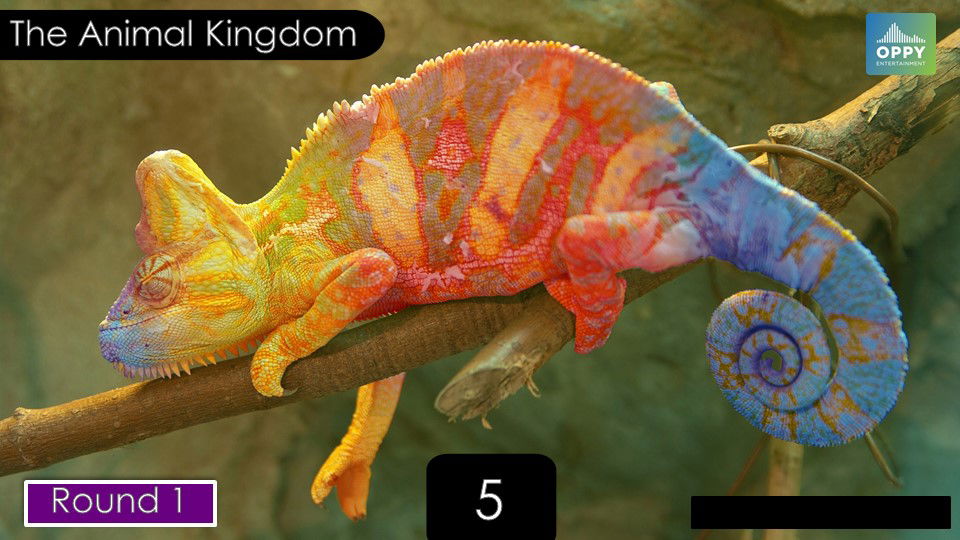
We’re a 100% Australian-made company helping pubs, clubs and venues run fun, polished trivia nights without the heavy lifting. Our games combine tested questions, beautiful high-resolution visuals, smooth round structure and ready-to-run host materials, making them simple for venue staff and powerful for professional hosts.
2. How easy is it to host a Pub Trivia Australia game?
Pub Trivia Australia makes hosting straightforward for hospitality teams. The pack provides the questions, visuals, answer forms, scoring materials and a clear game flow, so your host is never starting from scratch.
Most venues already have a friendly, confident staff member who is comfortable on the mic and enjoys engaging the room. They do not need professional trivia-hosting experience - the game gives them the structure, while they bring the venue personality.
Hosting is simple:
- Choose a Big Screen or Paper trivia pack
- Display questions on a screen or use handouts
- Track scores using the included answer forms and score sheets
The polished visuals and clear host materials help keep players engaged, while giving your host the confidence to keep the night moving.
3. What formats are available?
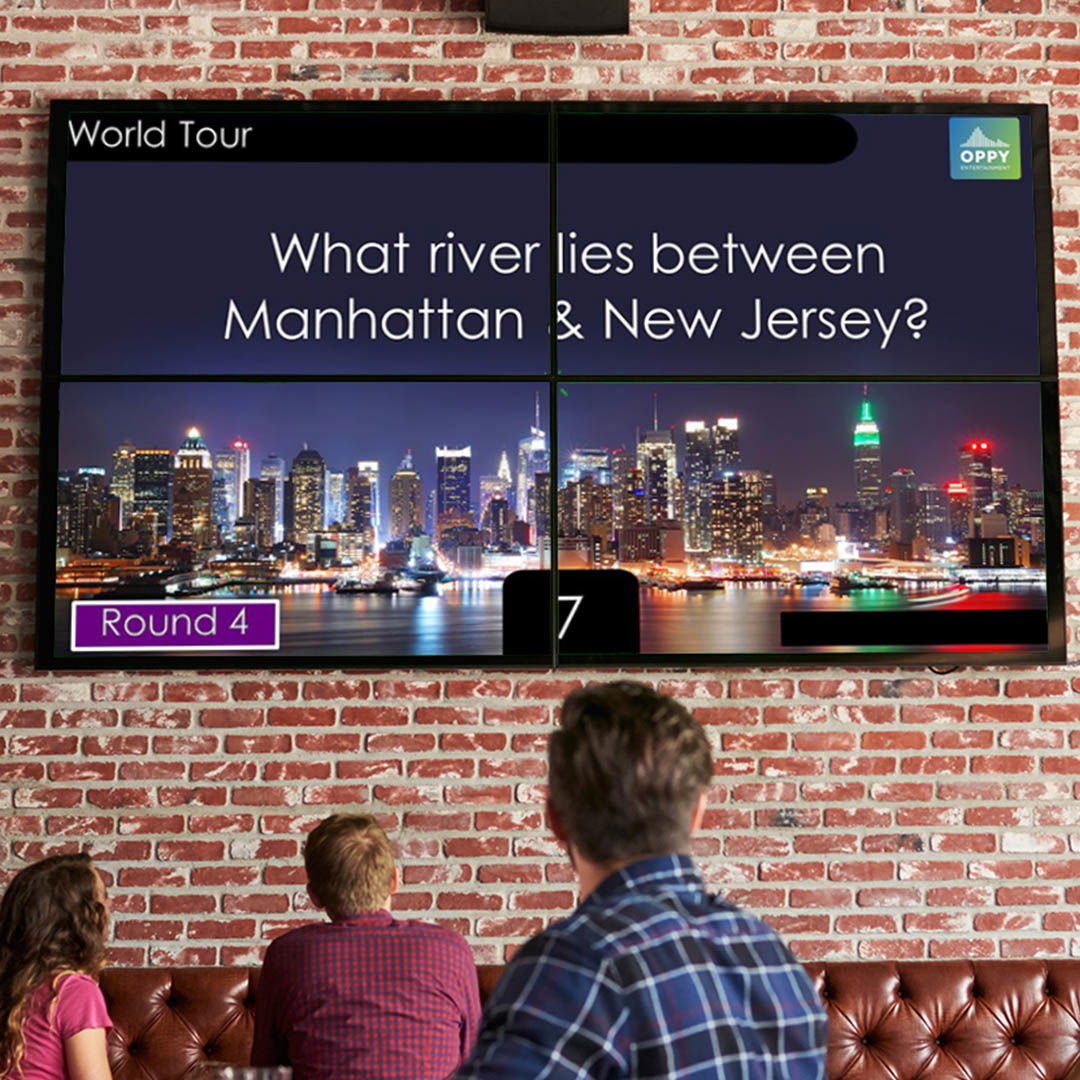
- Big Screen Trivia: Stunning high-resolution images for every question, easy to run on any screen.
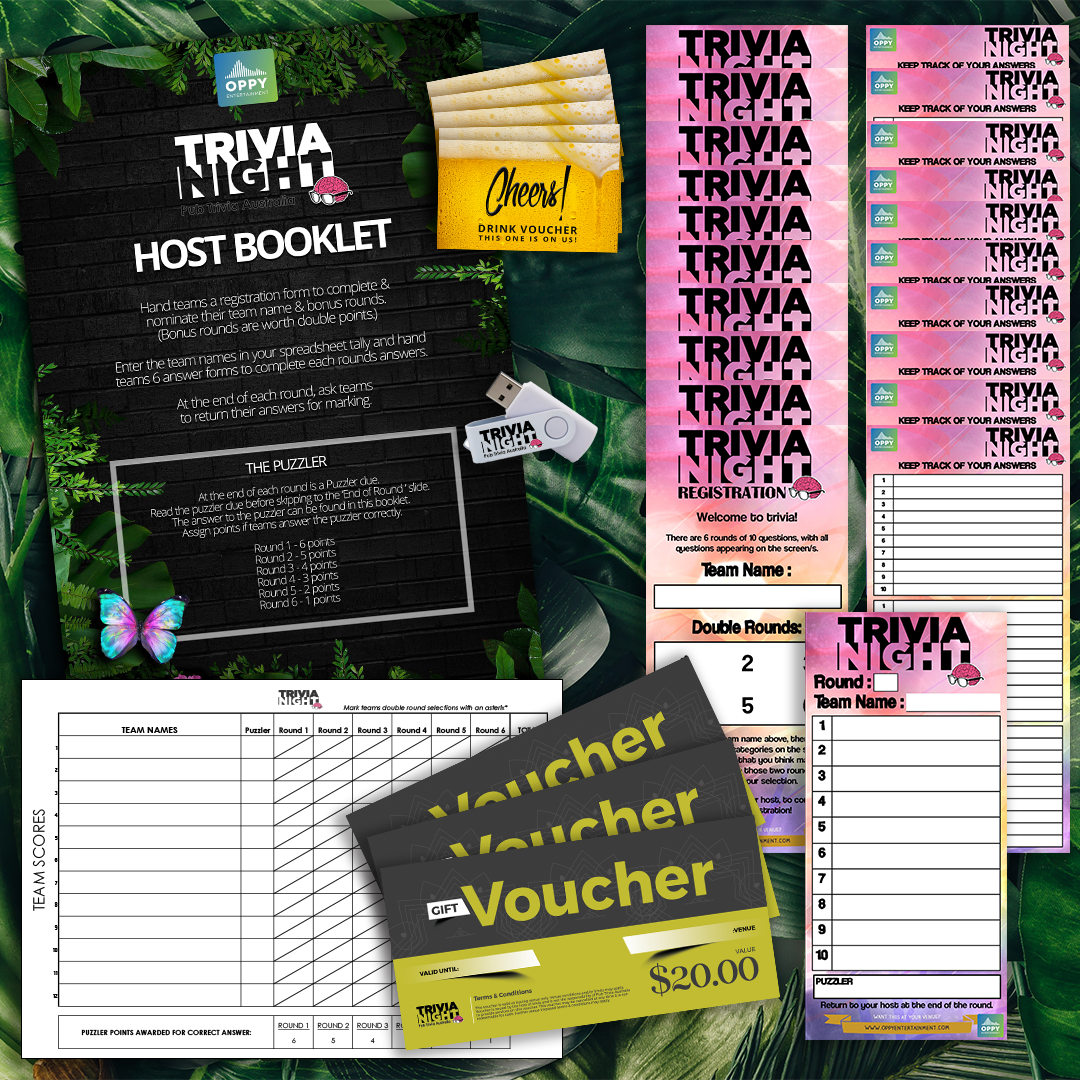
- Paper Trivia Packs: Full-colour handouts for topics and picture rounds.
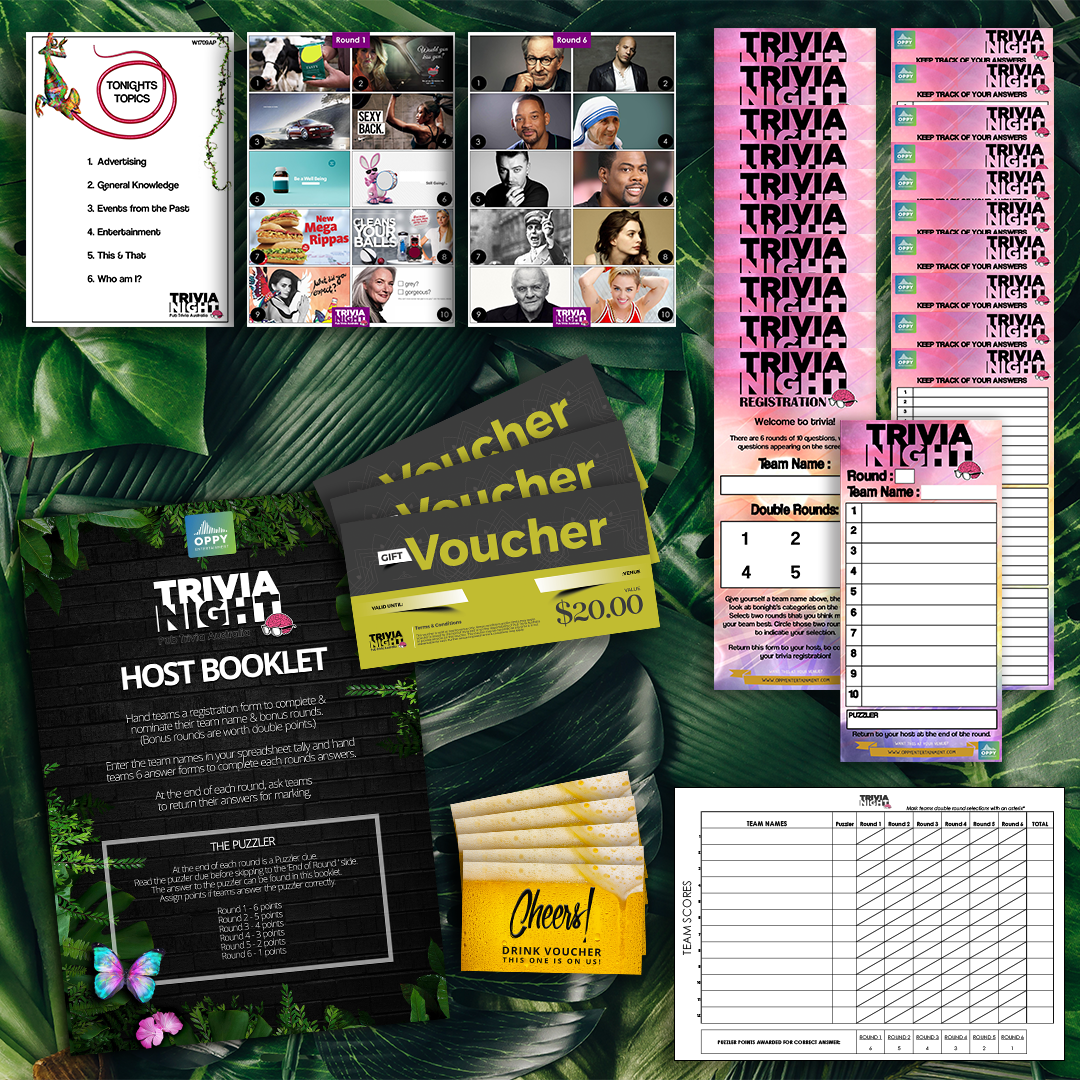
Both formats include answer forms for up to 10 teams, plus registration & tracking sheets.
4. Do all packs include extras?
Yes! Packs come with:
- Gift vouchers & drink cards (postage packs) for winning teams
- Score sheet and host answer booklet (every pack) for smooth hosting
5. Are new trivia questions released regularly?
Yes — we create brand-new trivia games every week, tested in Aussie pubs for accuracy, engagement, and fun. You’ll never run out of fresh questions.
6. How do I get started?
Simply download Bigscreen online or paper-based online, download instantly, and start hosting a memorable trivia night with your high-resolution images today.
7. Do I need a professional host to run the game?
No. Pub Trivia Australia games are straightforward for venue staff, managers, regular MCs and entertainers to host. The pack gives you the structure, questions, visuals, answer forms and game flow, so the host is not left trying to carry the whole night alone.
Professional hosts can absolutely use our games too. The packs help elevate every host by giving them polished content, better flow and less prep, so they can focus on the room, the players and the atmosphere.
8. Can professional trivia hosts use Pub Trivia Australia games?
Yes. Many professional hosts use ready-made trivia games because they save time, improve consistency and give the night a more polished structure.
Pub Trivia Australia games are designed to make hosts look good. The questions are tested, the visuals are ready, the rounds are balanced and the materials are already prepared, so professional hosts can spend less time building the game and more time entertaining the crowd.
9. Are the trivia packs fun enough without a high-energy host?
Yes. The games are designed to be stand-alone fun. Each pack includes a mix of tested questions, visual rounds, optional audio elements, answer materials and a smooth format that keeps the night moving.
A great host can always add personality, but the entertainment value is built into the game itself. That means the game carries the night, whether it is hosted by venue staff, a regular MC or a professional entertainer.
10. What makes Pub Trivia Australia different from ordinary trivia questions?
Pub Trivia Australia is not just a list of questions. Each pack is a complete trivia night system built for Australian pubs, clubs and venues.
You get tested rounds, high-resolution visuals, answer forms, score sheets, host materials and a format designed for less prep, better flow and more fun. The result is a trivia night that is simple to host, fun to play and easy to repeat week after week.
11. Do I need to have PowerPoint installed to run the Big Screen trivia game?
Yes. You need Microsoft PowerPoint installed on your laptop to run the game correctly. Without it, fonts and formatting can look wrong, which affects the visual quality of the night.
How to open the game file
Open PowerPoint first, then go to File > Open and select the game file from there. Do not double-click the file directly from your downloads folder, as this can sometimes cause display issues.
What about PowerPoint Online or Google Sheets?
Do not use PowerPoint Online or Google Sheets to run the game. Neither handles the fonts, formatting, or animations correctly. The game is designed specifically for the full desktop version of Microsoft PowerPoint.
Last resort: PowerPoint Viewer
If you absolutely cannot get PowerPoint installed in time, we can supply a PowerPoint Viewer as a last resort. Contact us and we will get it to you.
Important: If you are using PowerPoint Viewer, you will not be able to use the Digital Scoresheet at the same time. Viewer does not support switching between applications the way the full version of PowerPoint does. If you want to use the scoresheet alongside the game, you need the full version of PowerPoint installed.
12. How do I use the Digital Scoresheet?
The Digital Scoresheet is an Excel spreadsheet included in our marketing folder. It automatically calculates running totals and sorts teams by score, so you always know who has won without doing any maths. It is recommended for subscribers, however a paper version is also provided.
Before you open it: unlock the file
Because the scoresheet is downloaded from the internet, Excel will lock it by default. Here is how to fix that in a few seconds:
- Open the file and go to File > Save As
- Save a fresh copy directly to your Desktop
- Close the original file, open your new Desktop copy, and click Enable Content on the yellow bar at the top
You are now good to go.
Setting up before the event
- Open the scoresheet on your laptop before guests arrive.
- Enter the team names in the designated cells as they register.
- When teams register, the registration form asks them to circle 2 round numbers as their double point rounds. When you enter each team name into the scoresheet, also enter a 1 in the double point column next to their two chosen rounds. The scoresheet will automatically calculate the doubled scores.
Scoring during the game
- Mark all answer sheets
- Enter scores into spreadsheet
- Show the answer slide on screen so teams can react to the answers
- Do a quick read-through of each team's score for that round (single scores only, see below)
At the end of the night, tied teams are flagged so you know to run a tiebreaker.
The Puzzler
The Puzzler is a running challenge across the night and is worth bonus points. When a team correctly guesses the Puzzler, enter their points into the Puzzler column on the scoresheet. Points decrease each round:
| Round | Puzzler points |
| Round 1 | 6 |
| Round 2 | 5 |
| Round 3 | 4 |
| Round 4 | 3 |
| Round 5 | 2 |
| Round 6 | 1 |
The earlier a team solves the Puzzler, the more it is worth. If no team guesses it, no points are awarded for that round.
Reading scores between rounds
Read out each team's score for the current round only. Do not read out the double round score and do not reveal running totals or the leaderboard. Keep all of that on your laptop. The suspense of not knowing who is winning is what makes the final scores so satisfying.
Switching between the scoresheet and the slideshow
You do not need a second device to use the scoresheet. While the PowerPoint game is showing on the pub TVs, you can switch freely between the slideshow and the scoresheet on your laptop using Alt + Tab (Windows) or Command + Tab (Mac). The big screen will not be affected.
For this to work, you need to extend your display so the PowerPoint show runs on the pub TVs and your laptop screen stays available for the scoresheet and other windows. Here is how:
- Windows: Right-click the desktop, choose Display Settings, and set the second screen to Extend
- Mac: Go to System Settings > Displays and choose Extend Display
Do this before you open PowerPoint. Once the screens are extended and you open the game file, PowerPoint will automatically put the slideshow on the pub TVs. Your laptop screen stays free for the scoresheet and your own notes.
13. Tips for presenting in PowerPoint on the night
Running a smooth slideshow comes down to a few simple habits. Follow these, and your presentation will feel polished from the first question to the final scores.
Plug into power. Do not rely on your laptop's battery during the event.
Audio Slides
Some packs include audio rounds. Make sure your laptop volume is turned up and connected to your venue's speaker system before the game starts. Test the audio during your pre-event run-through.
When you open the audio round slide, click next with the left arrow or space bar to run the audio round. The questions are auto-timed, so there is nothing for the host to do during the round. Use that time to move around the room, check in with teams, and enjoy the atmosphere.
Tip: Running some low-volume background music through your speaker system between rounds is great for atmosphere, especially in quieter rooms. It keeps the energy up while teams are writing their answers.
14. What else do I need to run the event?
The trivia pack covers all the content. The venue side is straightforward, and most pubs and clubs already have everything they need.
- Pub Trivia Australia hosting pack: includes the game, answer forms, registration sheets, scoresheet, restaurant vouchers, and drink cards
- Laptop with Microsoft PowerPoint: desktop app (Microsoft 365) recommended. The browser version can alter fonts and affect visual quality.
- TV, projector, or existing screens: any screen already in your venue works. If you run Foxtel or a Nightlife music system to multiple screens, plug your laptop into that same connection
- HDMI cable: standard cable, available at any hardware store
- Wireless microphone
- Pens for players: one per team. Keep spares behind the bar and ask teams to return them at the end
Most venues are fully set up and running in under 15 minutes.
On the night
- A table or small podium for the host near the screens
- Prizes or gift vouchers for the winning team
Already have a screen and a laptop? You are 90% of the way there. Most venues that run our Big Screen packs are up and running within 20 minutes of opening the files for the first time.
For a full walkthrough of screen connection options (including Foxtel, Chromecast, and multi-screen setups), see our Big Screen Trivia setup guide.
If you have any questions about your specific setup, contact us, and we will help you get sorted before your first night.
Helpful related guides
If you are setting up trivia for the first time, read our guide on: how to host a pub trivia night in Australia.
If you want fresh games delivered every week, see our weekly trivia subscription options for Australian pubs and clubs.
If you want to use screens or TVs in your venue, read our guide on how to set up big screen trivia games.
If you want to compare formats, browse our Big Screen Trivia games and Paper-Based Trivia games
Order now from our website or contact Pub Trivia Australia to arrange weekly trivia games
Published 1/8/26, updated 22/10/26.